Where to find it
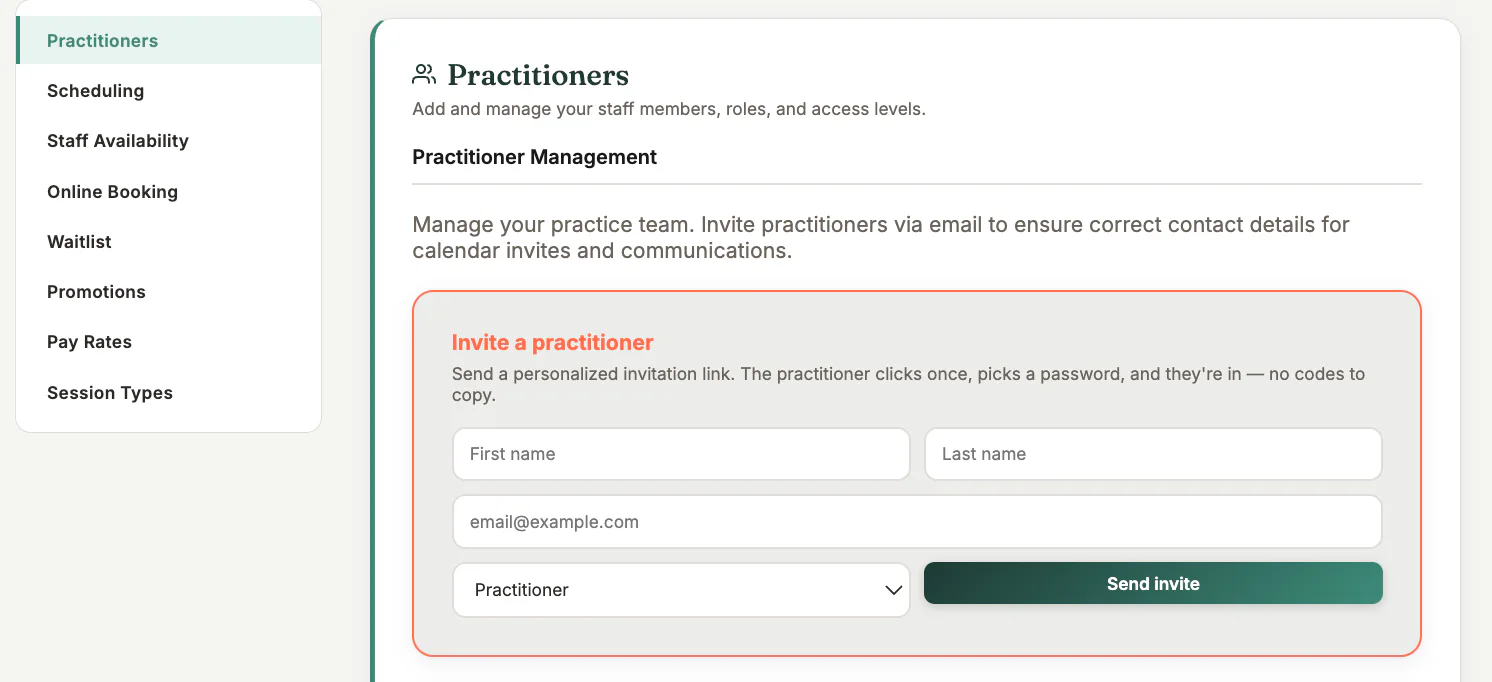
Open Settings and choose the practitioners or team section.
Step by step
1
Create the practitioner profile
Enter the person’s own name and email address. Do not use a shared owner login.
2
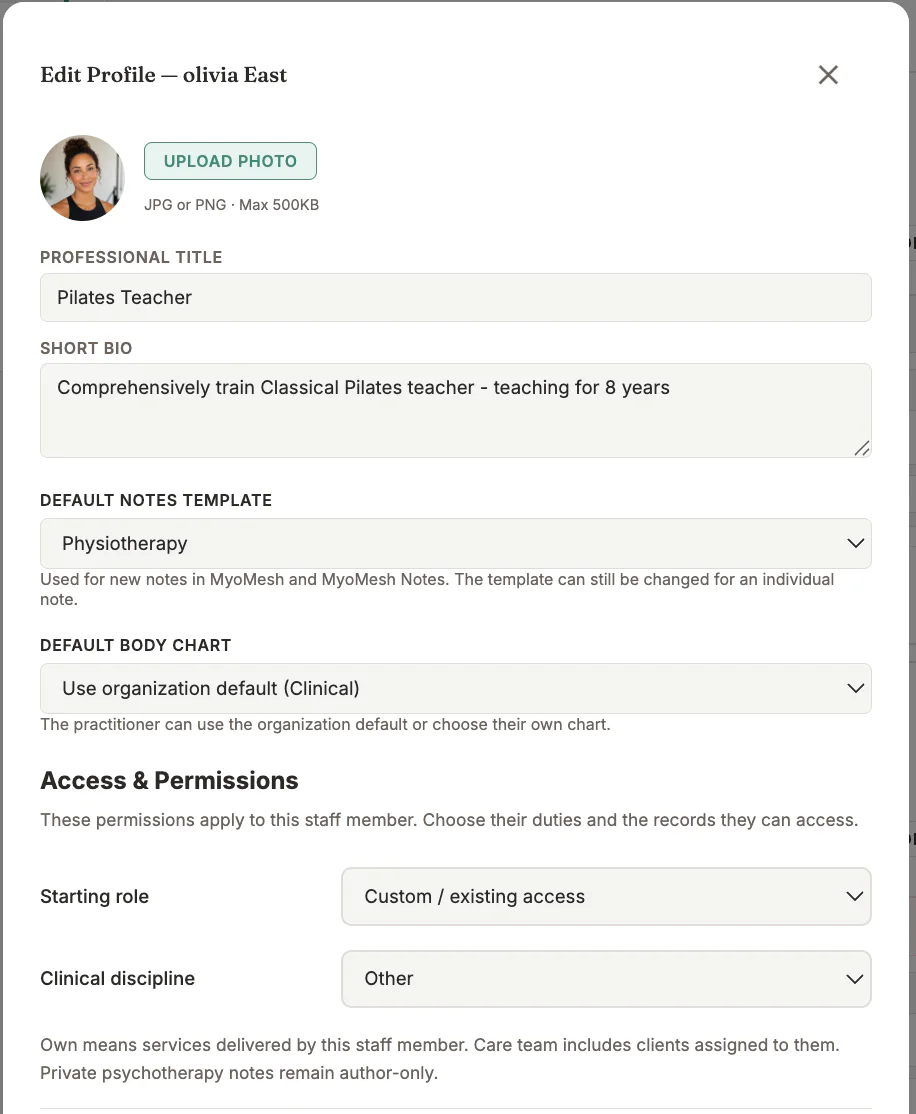
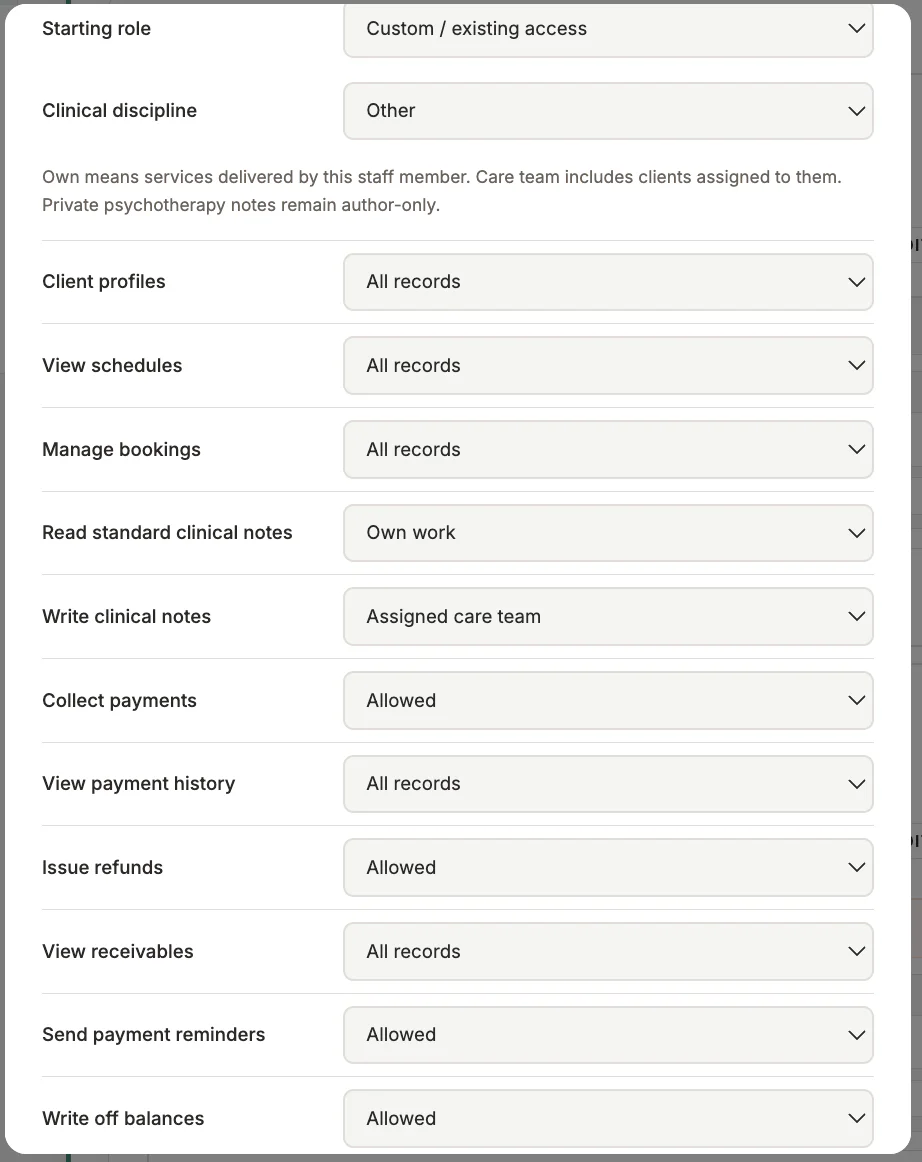
Choose the least-privileged role
Grant only the access required for their work. Owner and administrator access should be exceptional.
3
Assign services and locations
Select the session types and locations the practitioner actually provides.
4
Set availability
Add their working hours and breaks in the correct business time zone.
5
Send and verify the invitation
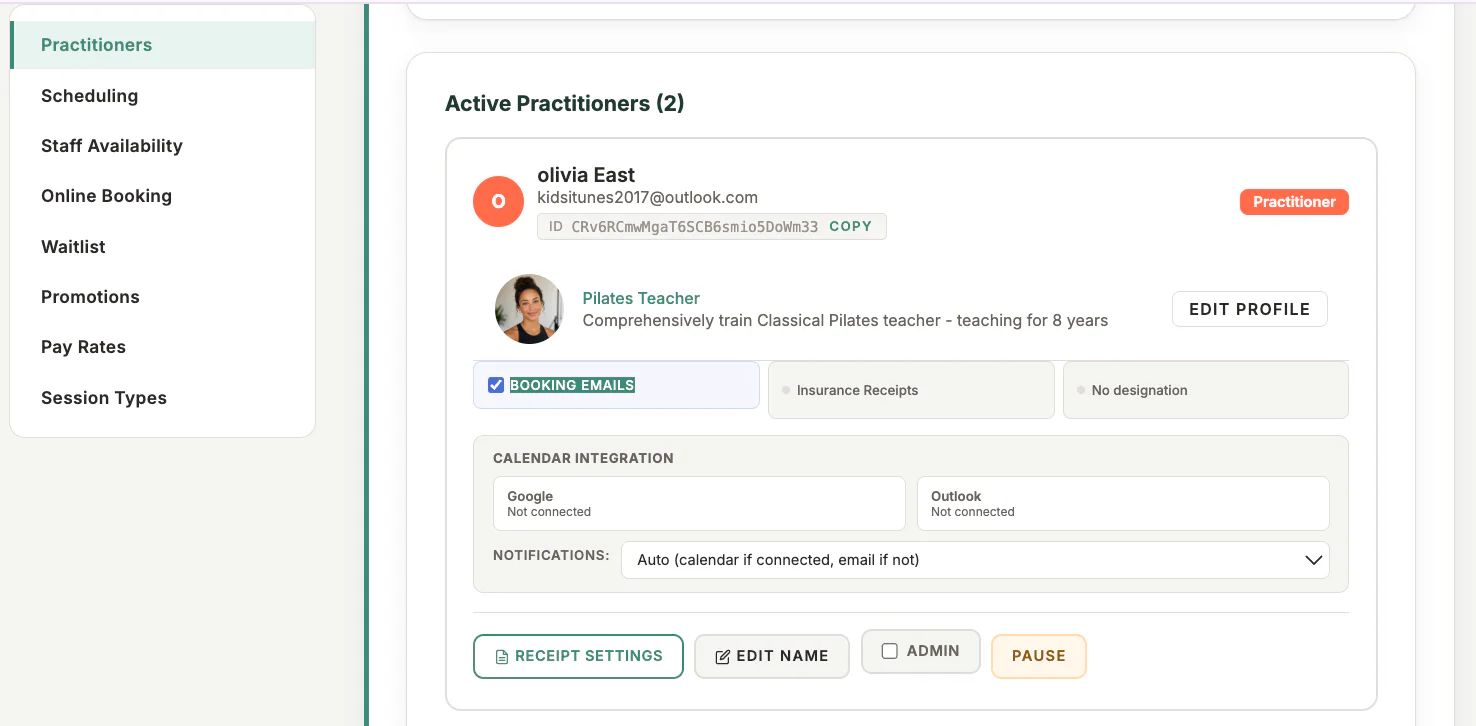
Have the practitioner accept with the invited email, then confirm their access in Dev before relying on it.
Important checks
- Never grant owner access merely to solve a visibility problem.
- Deactivate departed staff promptly; do not recycle their account.
- Review staff access regularly.
Test safely: Use Firebase Dev and Stripe test mode for workflow tests. Do not create live client, payment, package, or membership records just to test a guide.