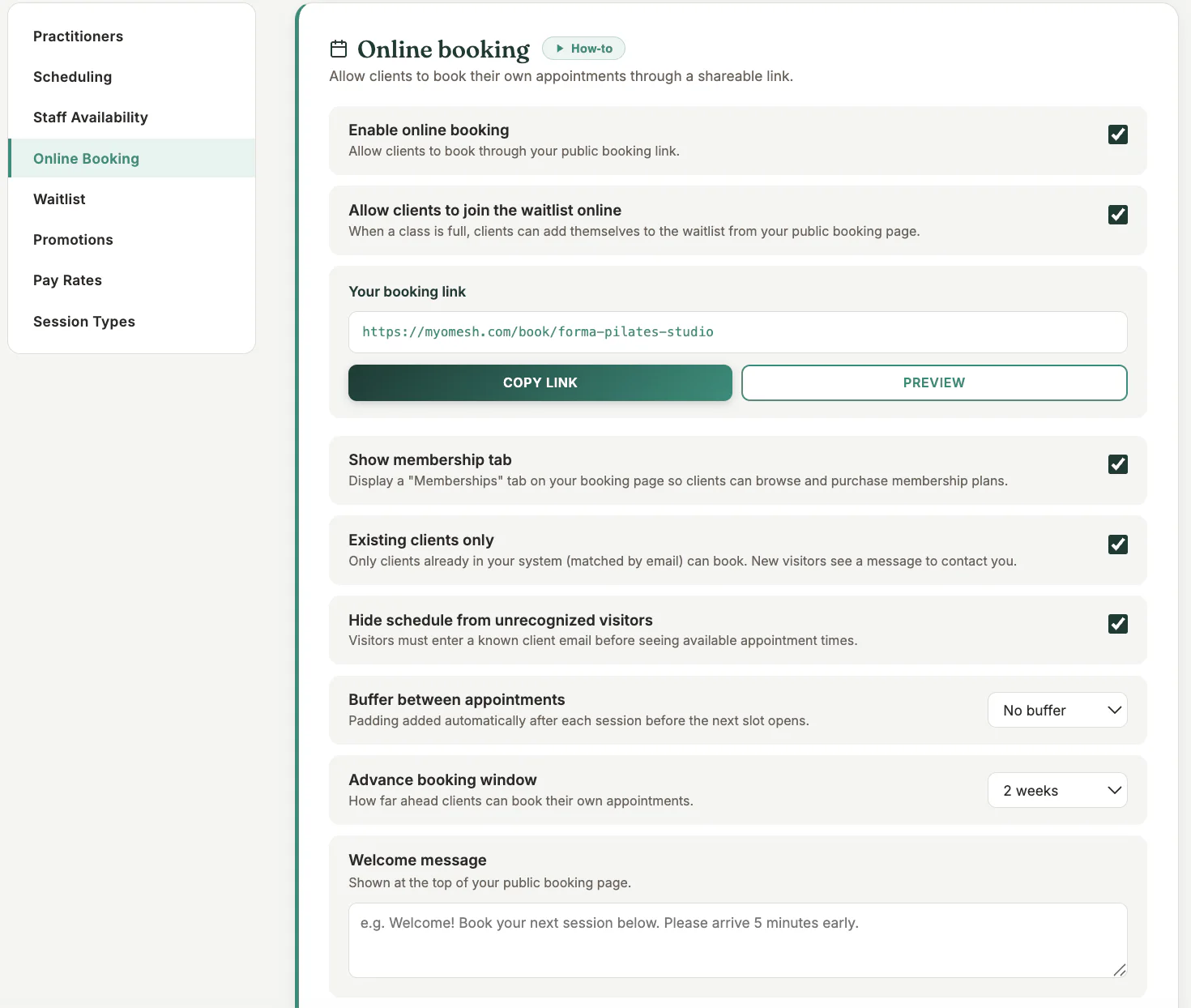
Where to find it
Open Settings and choose the online-booking or booking-page settings.
Step by step
1
Review business details
Confirm the public business name, contact details, time zone, and booking policies.
2
Choose what clients can book
Enable only the session types and practitioners that should appear publicly.
3
Set payment and access rules
Choose whether prepayment is required and whether new or existing clients may book.
4
Save and preview
Open the preview or public link in a signed-out browser window.
5
Test the complete journey
Check availability, choose a session, and stop before payment unless you intend to make a test booking.
Important checks
- The public page displays only sessions that satisfy your availability and publishing rules.
- Use the dedicated booking link or widget code supplied by MyoMesh.
- Test again after changing session types, staff availability, or payment rules.
Test safely: Use Firebase Dev and Stripe test mode for workflow tests. Do not create live client, payment, package, or membership records just to test a guide.