Step by step
- 1
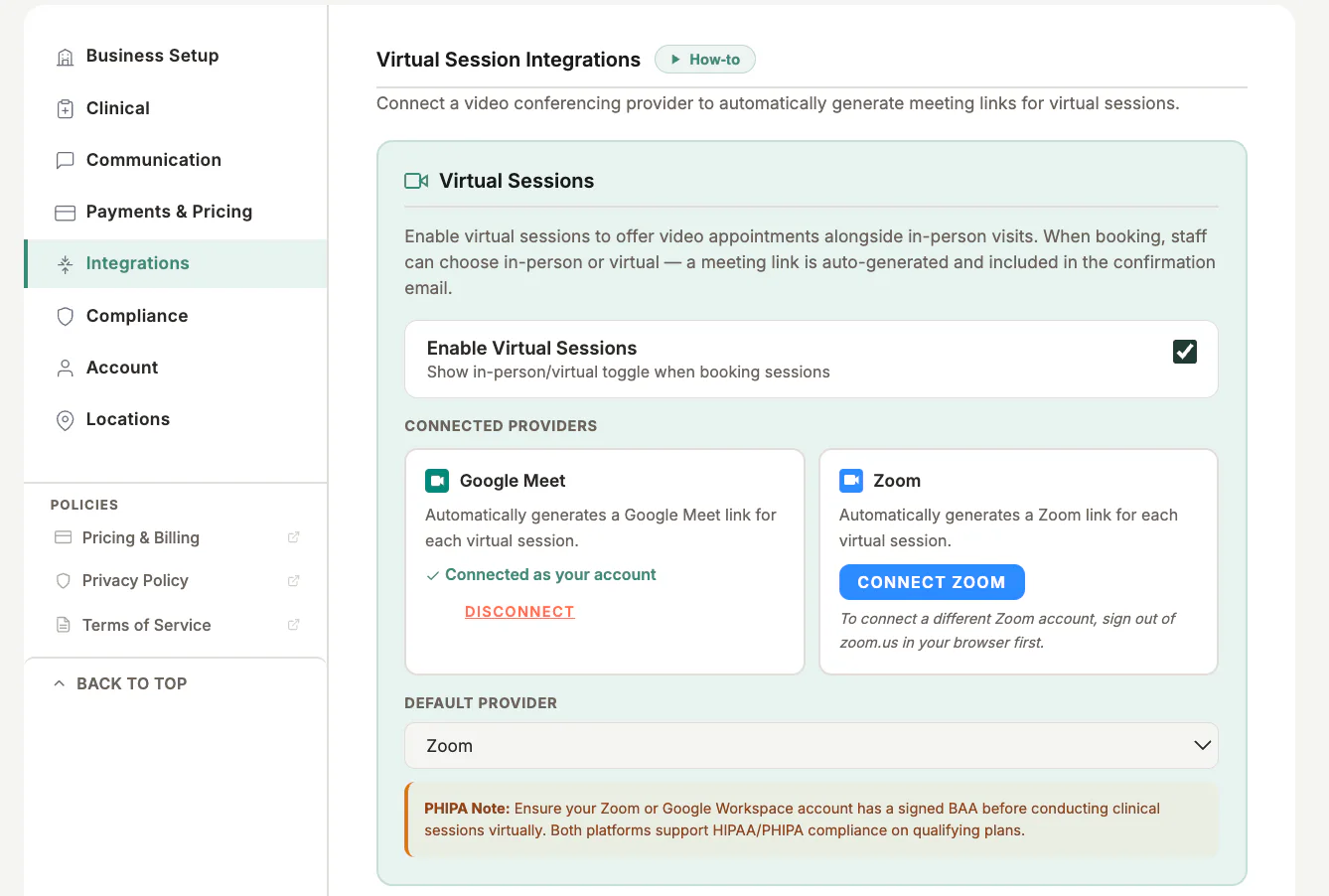
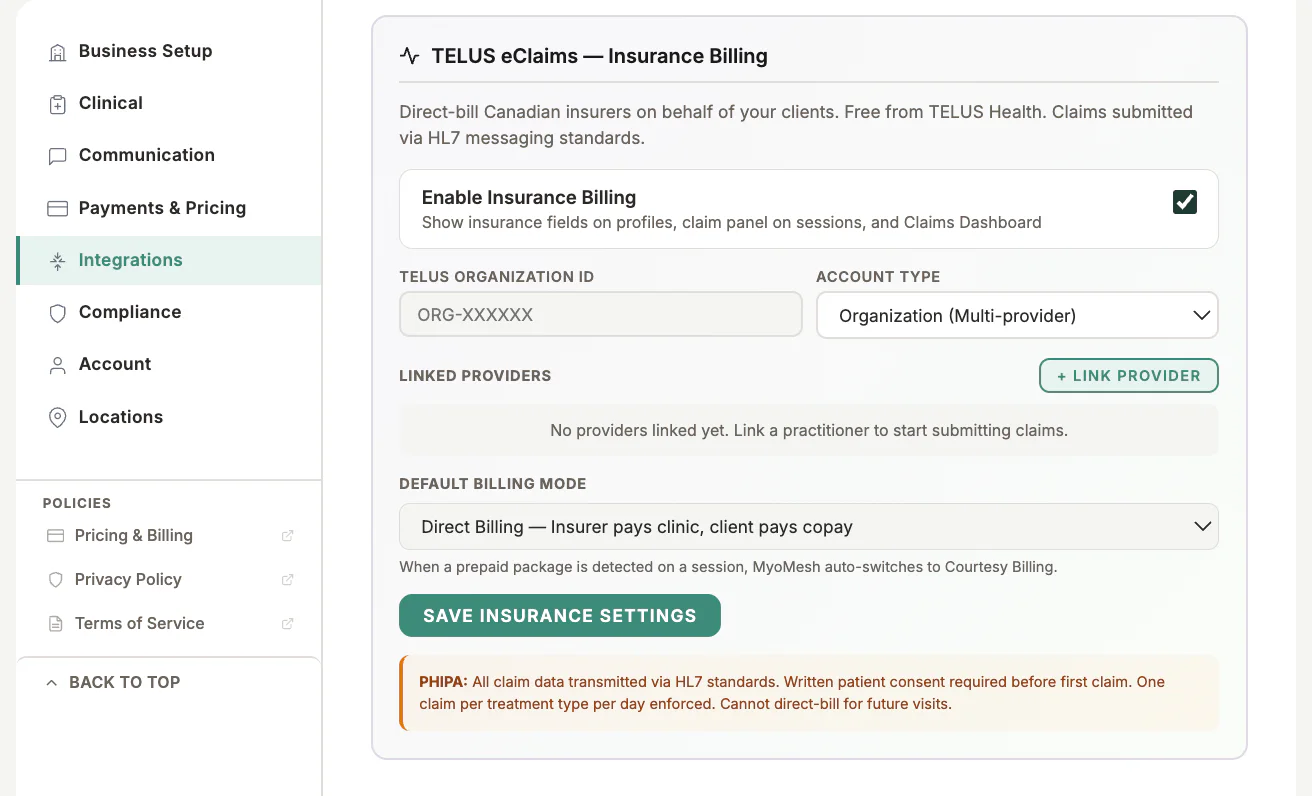
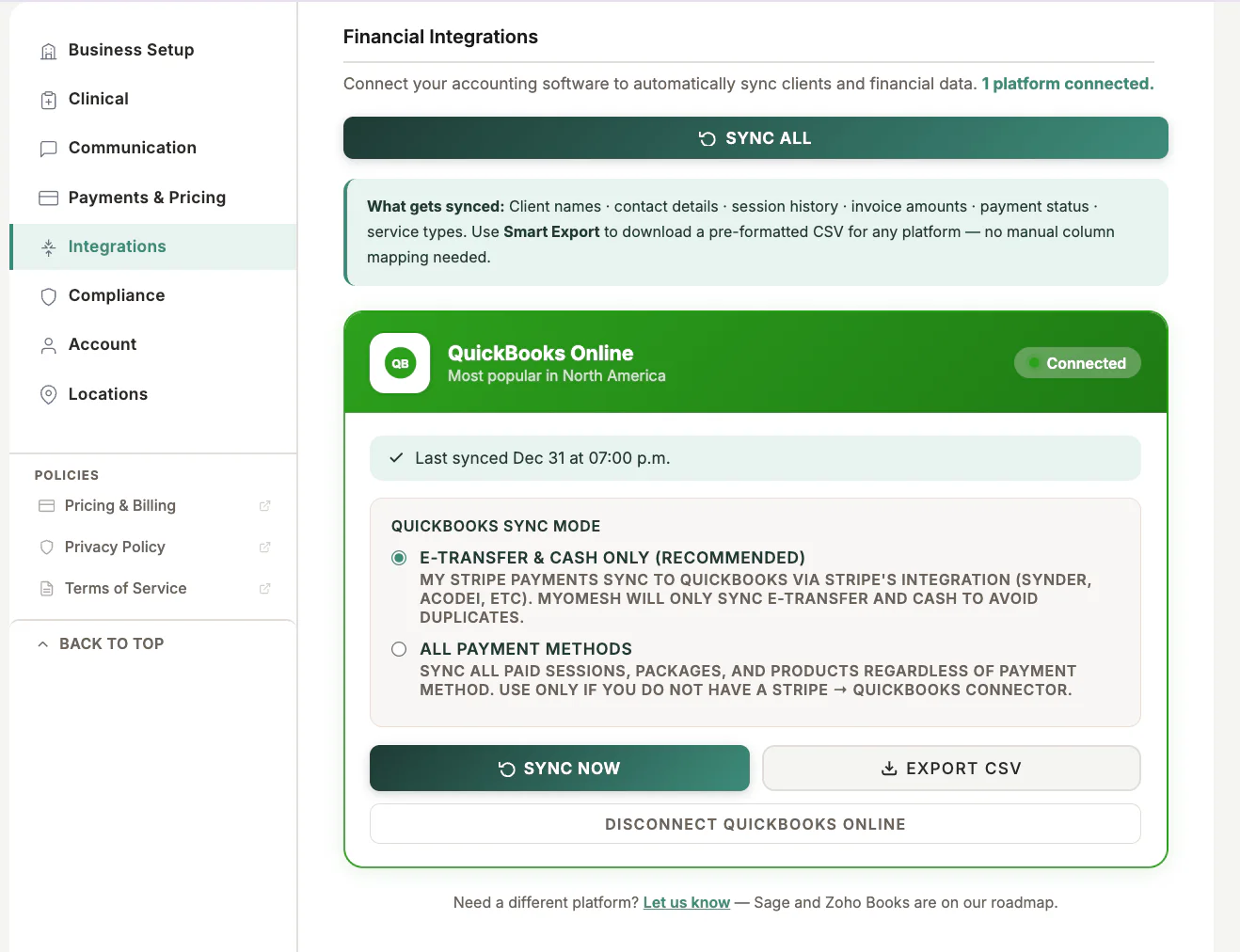
Open Settings and Integrations
- 2
Select a service
- 3
Authorize and configure it
- 4
Review status or disconnect when no longer needed
What to look for
Good to know
Available actions depend on practitioner permissions. Clinical and financial records remain separated according to those permissions.