Where to find it
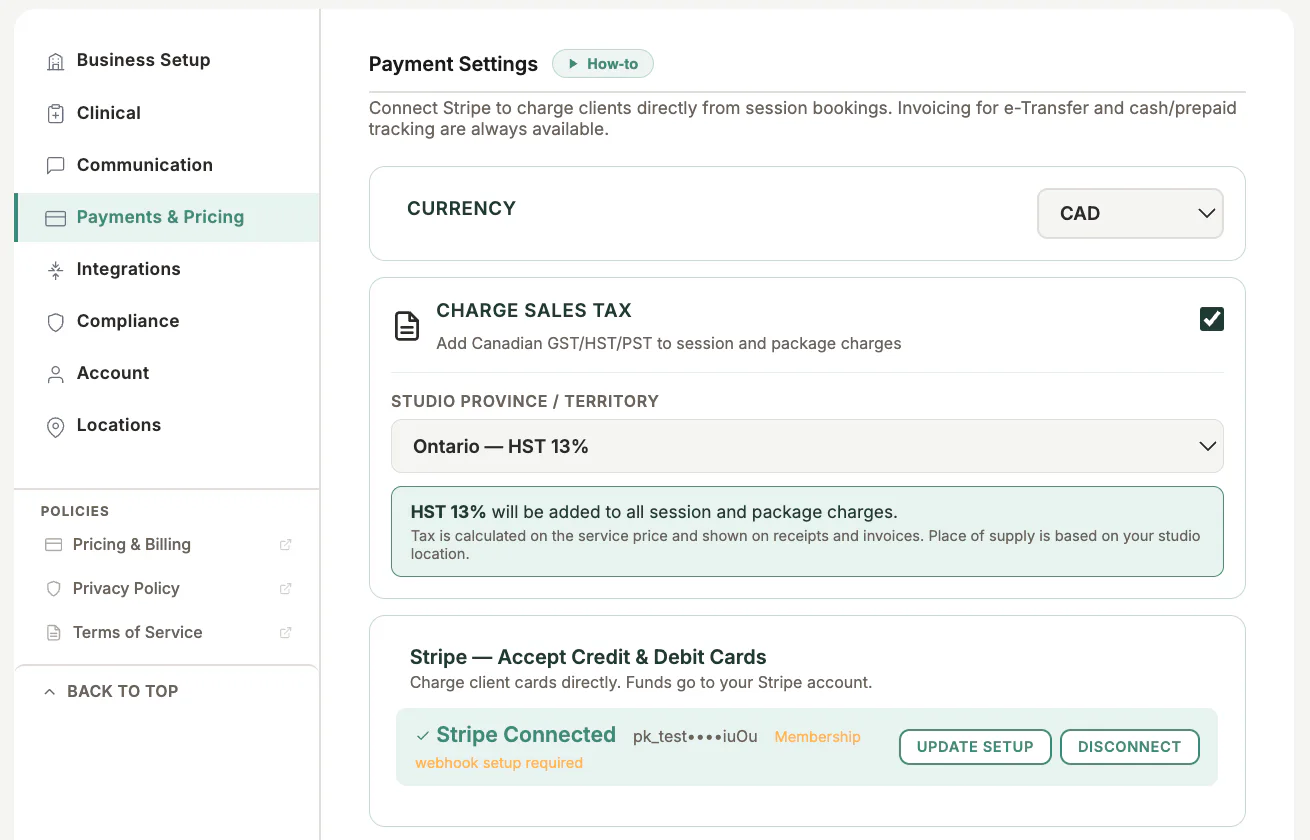
Open Settings, choose Payments & Pricing, then open Payment Settings.
Step by step
1
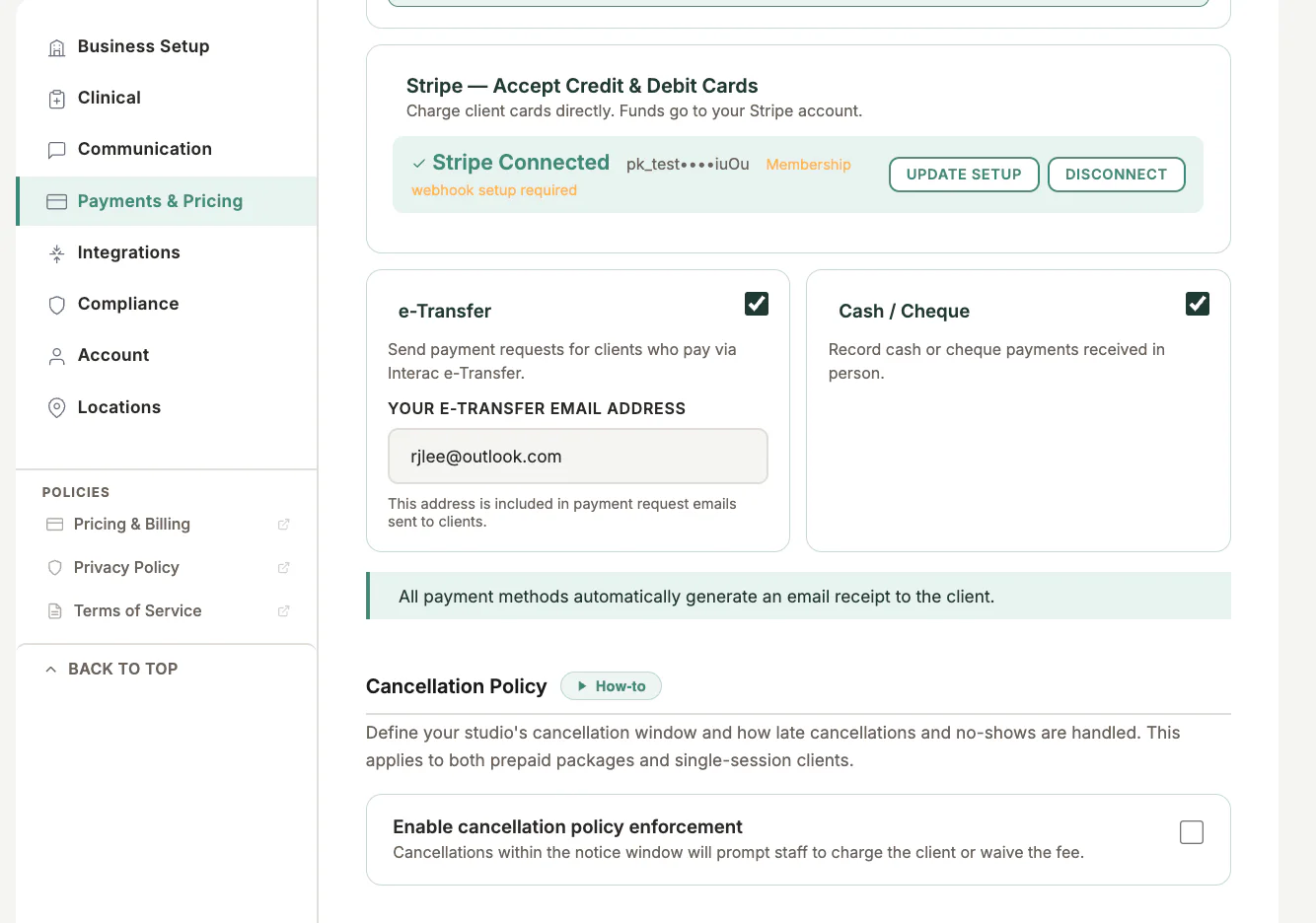
Review Stripe status
Connect Stripe if the business will accept cards, invoices, or memberships.
2
Choose offline methods
Enable only the e-transfer and cash or cheque options the business actually accepts.
3
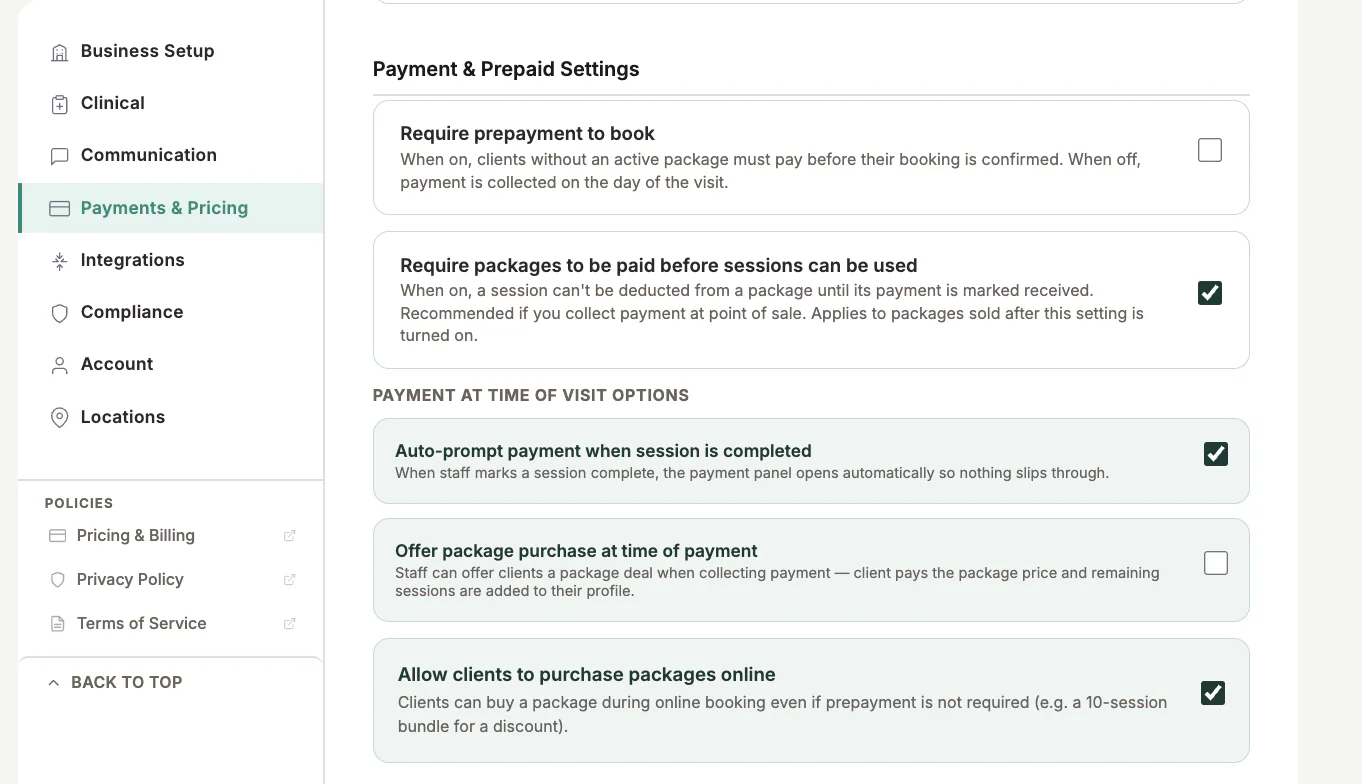
Set online-booking rules
Choose whether clients must prepay and which offers are available during booking.
4
Review taxes and currency
Confirm the organisation currency, tax settings, and displayed prices.
5
Save and test
Open Checkout and the public booking page to confirm only the intended choices appear.
Important checks
- Do not enable a method the business cannot reconcile.
- Changing settings affects future checkout choices; review existing invoices separately.
- Use Dev Stripe test mode for test payments.
Test safely: Use Firebase Dev and Stripe test mode for workflow tests. Do not create live client, payment, package, or membership records just to test a guide.