Scheduling

Embed the online booking widget

Place MyoMesh booking on a website while keeping the first-party booking flow.

Step by step

  1. 1

    Open Online Booking settings

  2. 2

    Choose the widget or embed option

  3. 3

    Copy the approved embed details into the website

  4. 4

    Test service, staff, and mobile booking with Firebase Dev

What to look for
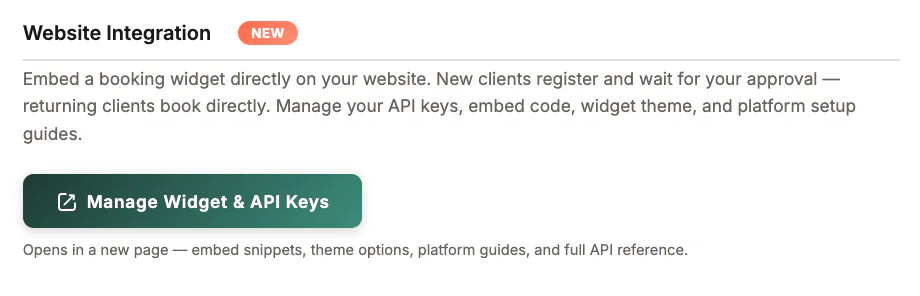
Website Integration in MyoMesh
Website Integration
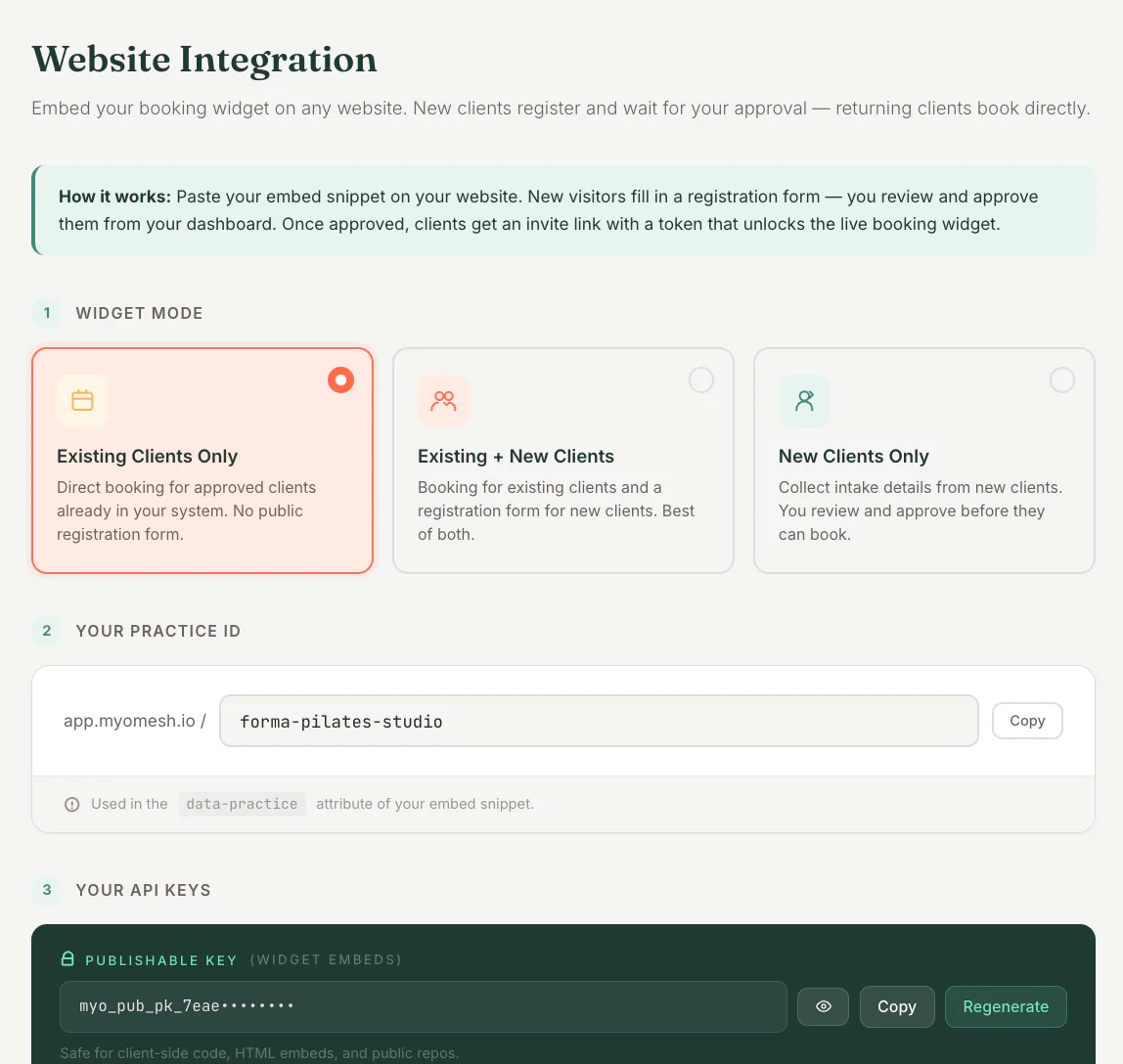
Booking Widget Mode in MyoMesh
Booking Widget Mode
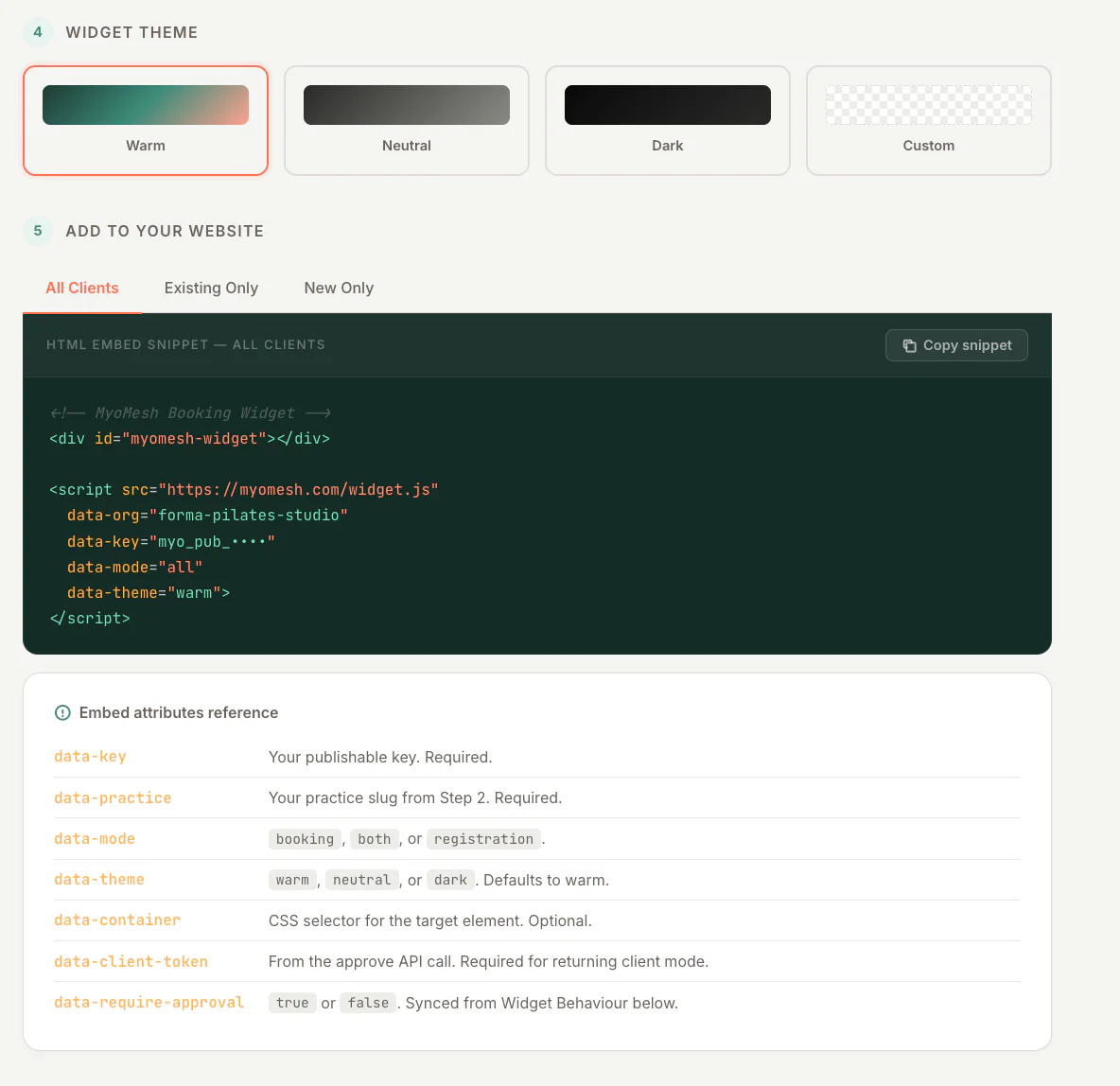
Booking Widget Embed in MyoMesh
Booking Widget Embed
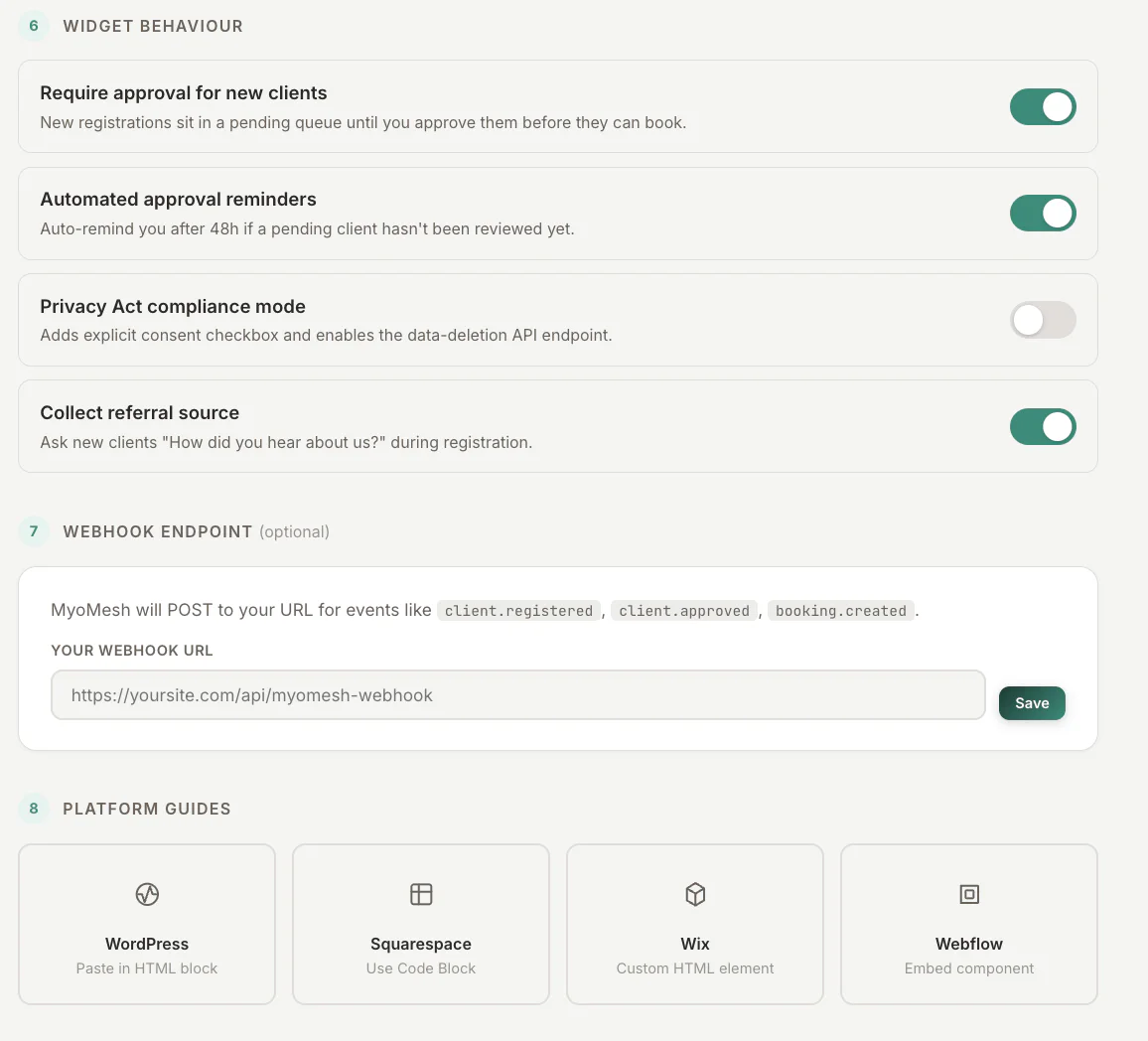
Booking Widget Behaviour in MyoMesh
Booking Widget Behaviour

Good to know

Available actions depend on practitioner permissions. Clinical and financial records remain separated according to those permissions.