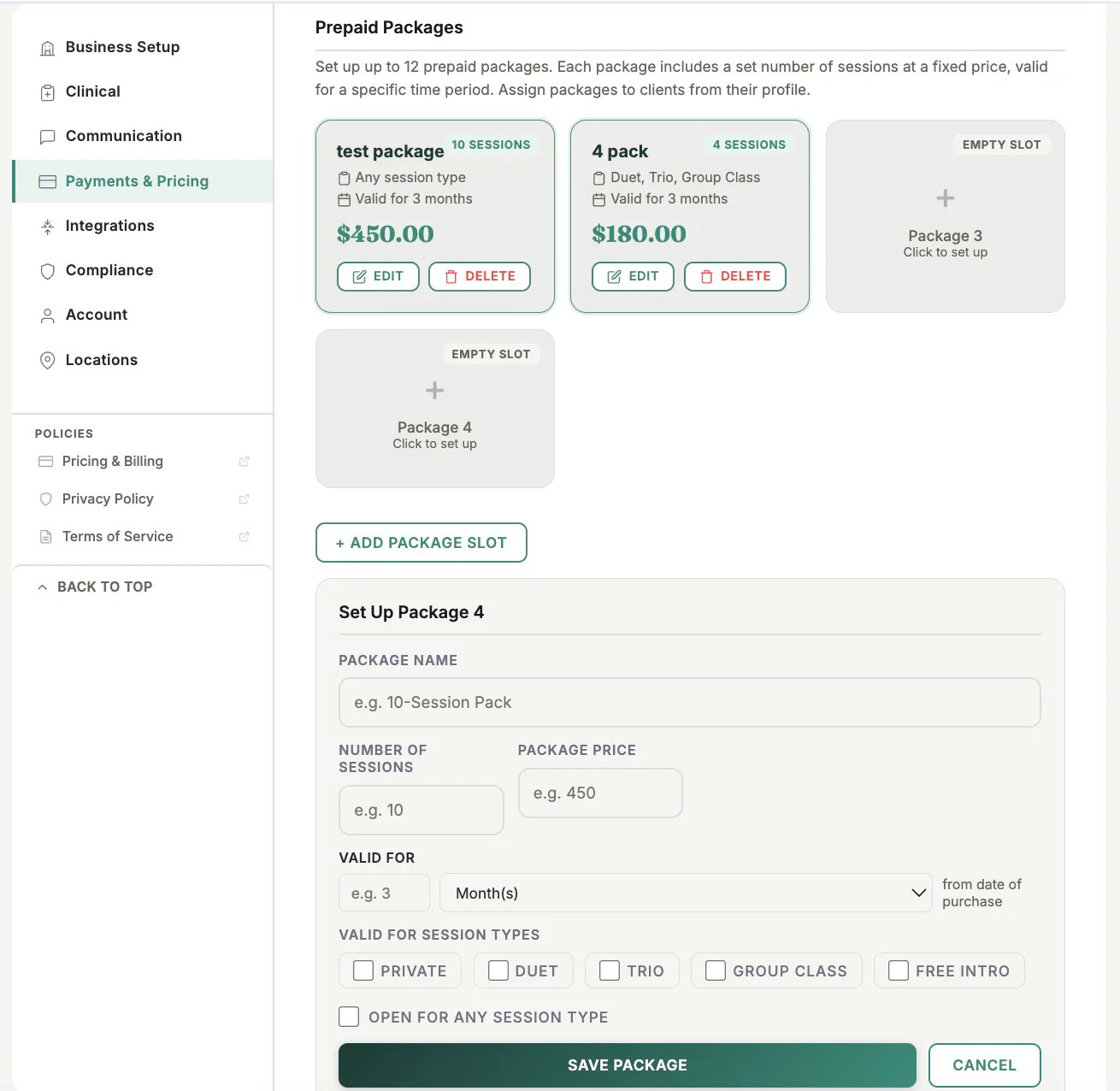
Where to find it
Open Settings, choose Payments & Pricing, then find the prepaid-package settings.
Step by step
1
Create the package
Enter a clear client-facing package name.
2
Set credits and price
Choose the included session count, package price, tax treatment, and validity period.
3
Choose eligible sessions
Select the session types that may consume a package credit.
4
Set availability
Choose whether staff, the public booking page, or both may offer the package.
5
Save and test
Assign the package to a test client in Dev and confirm the expected session uses one credit.
Important checks
- Changing a package definition does not automatically rewrite every package already sold.
- Avoid overlapping names for packages with different rules.
- Confirm expiry and refund terms match the business policy.
Test safely: Use Firebase Dev and Stripe test mode for workflow tests. Do not create live client, payment, package, or membership records just to test a guide.