Where to find it
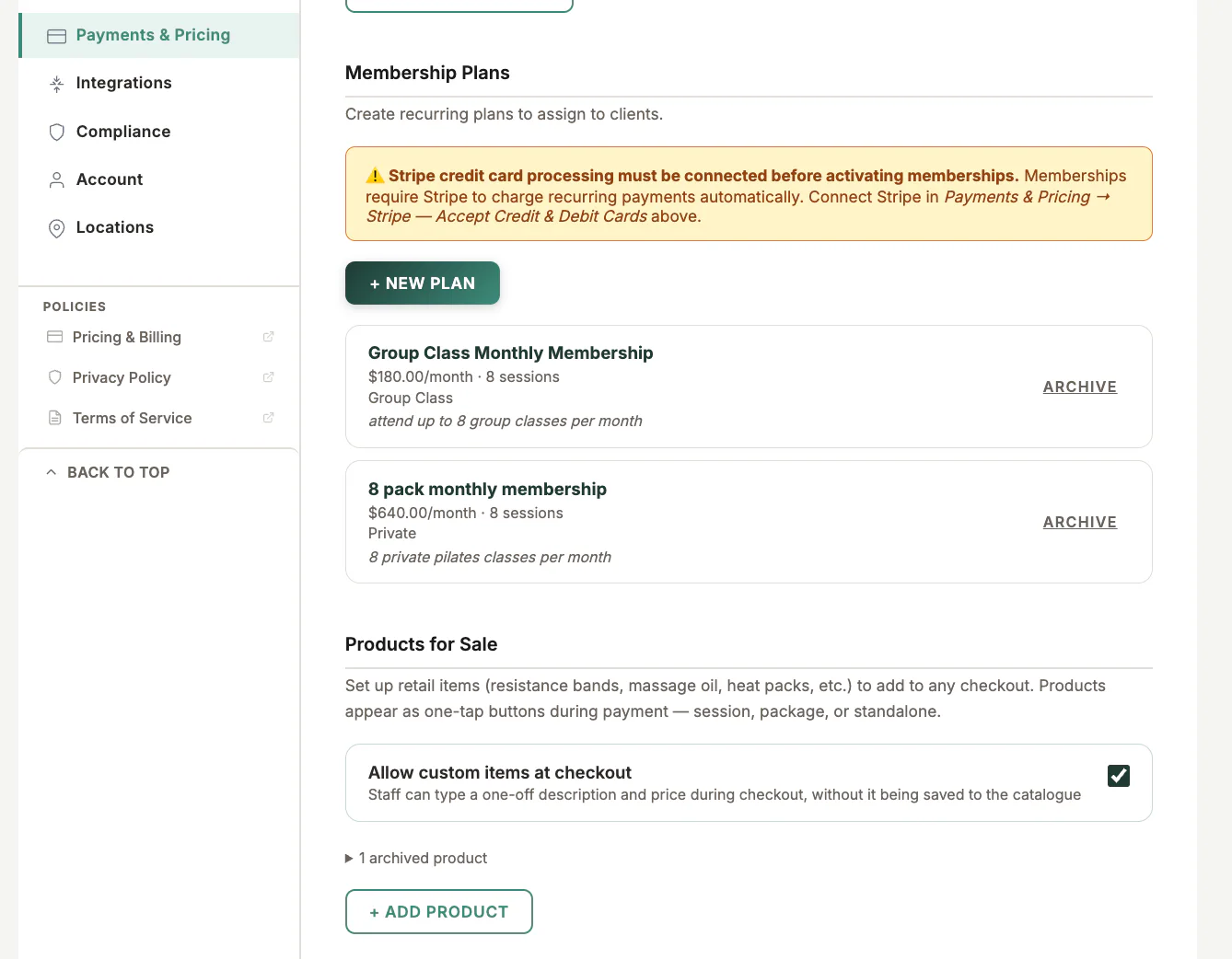
Open Settings, choose Payments & Pricing, then find membership plans.
Step by step
1
Confirm Stripe is connected
Recurring memberships require the business Stripe account to be connected and ready for live payments.
2
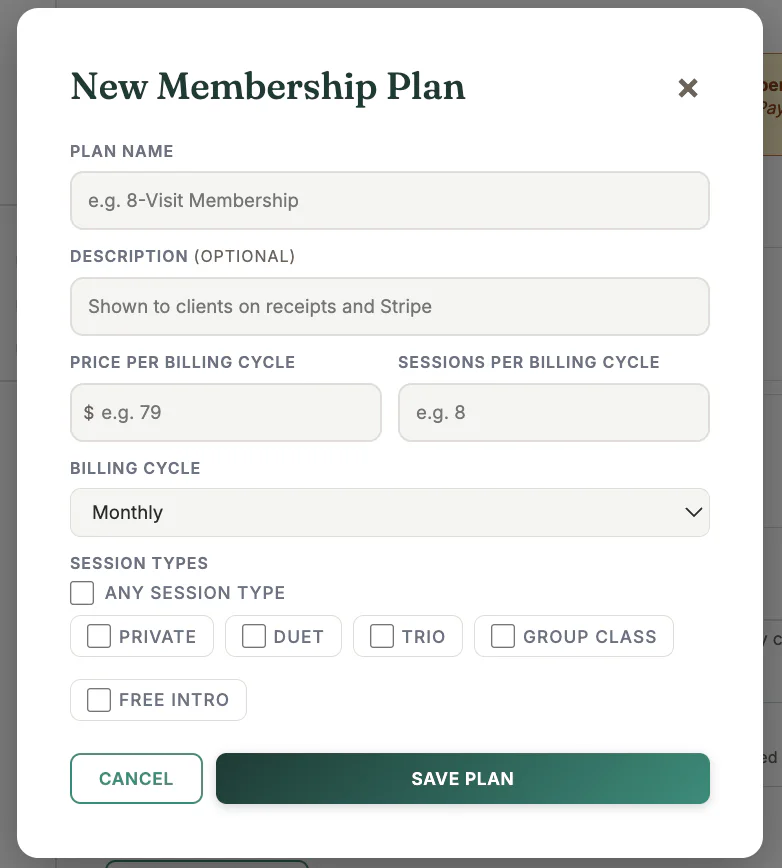
Create the plan
Enter the plan name, recurring price, billing interval, and tax treatment.
3
Set included use
Choose the session allowance and the session types the membership covers.
4
Review client-facing terms
Confirm cancellation, renewal, and usage wording before publishing.
5
Save and test in Dev
Assign the plan to a test client and verify the payment-link and activation flow.
Important checks
- Do not change live Stripe product details casually after clients are subscribed.
- A plan definition and a client membership are separate records.
- Failed renewals appear in Receivables for follow-up.
Test safely: Use Firebase Dev and Stripe test mode for workflow tests. Do not create live client, payment, package, or membership records just to test a guide.