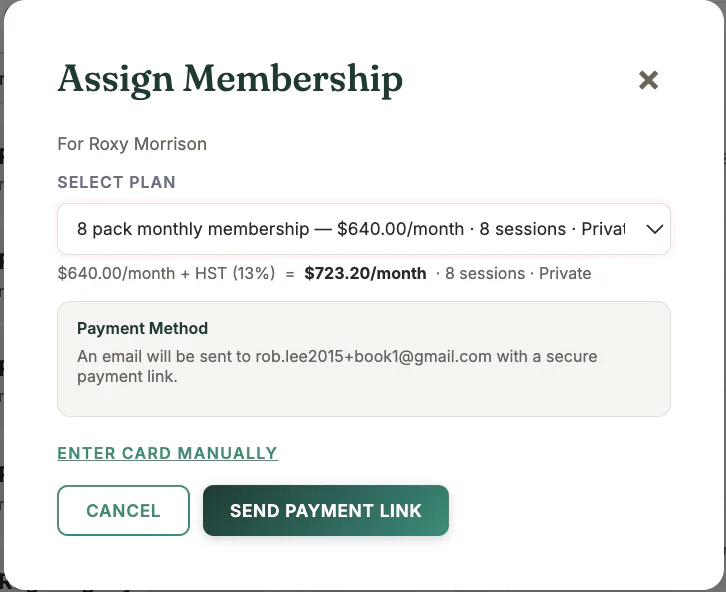
Where to find it
Open the client or membership-selling workflow and choose an active membership plan.
Step by step
1
Select the client
Confirm the name and email that should receive the Stripe link.
2
Choose the plan
Review price, interval, included sessions, tax, and plan terms.
3
Send the secure link
MyoMesh creates the Stripe subscription link for that client and plan.
4
Wait for payment confirmation
Do not manually mark the membership active while Stripe setup is still awaiting payment.
5
Verify activation
Check the client membership and Stripe record after payment completes.
Important checks
- Each payment link belongs to its intended client and plan.
- Use Receivables to resend an awaiting-payment link.
- If a renewal fails, resolve it through the failed-renewal workflow.
Test safely: Use Firebase Dev and Stripe test mode for workflow tests. Do not create live client, payment, package, or membership records just to test a guide.