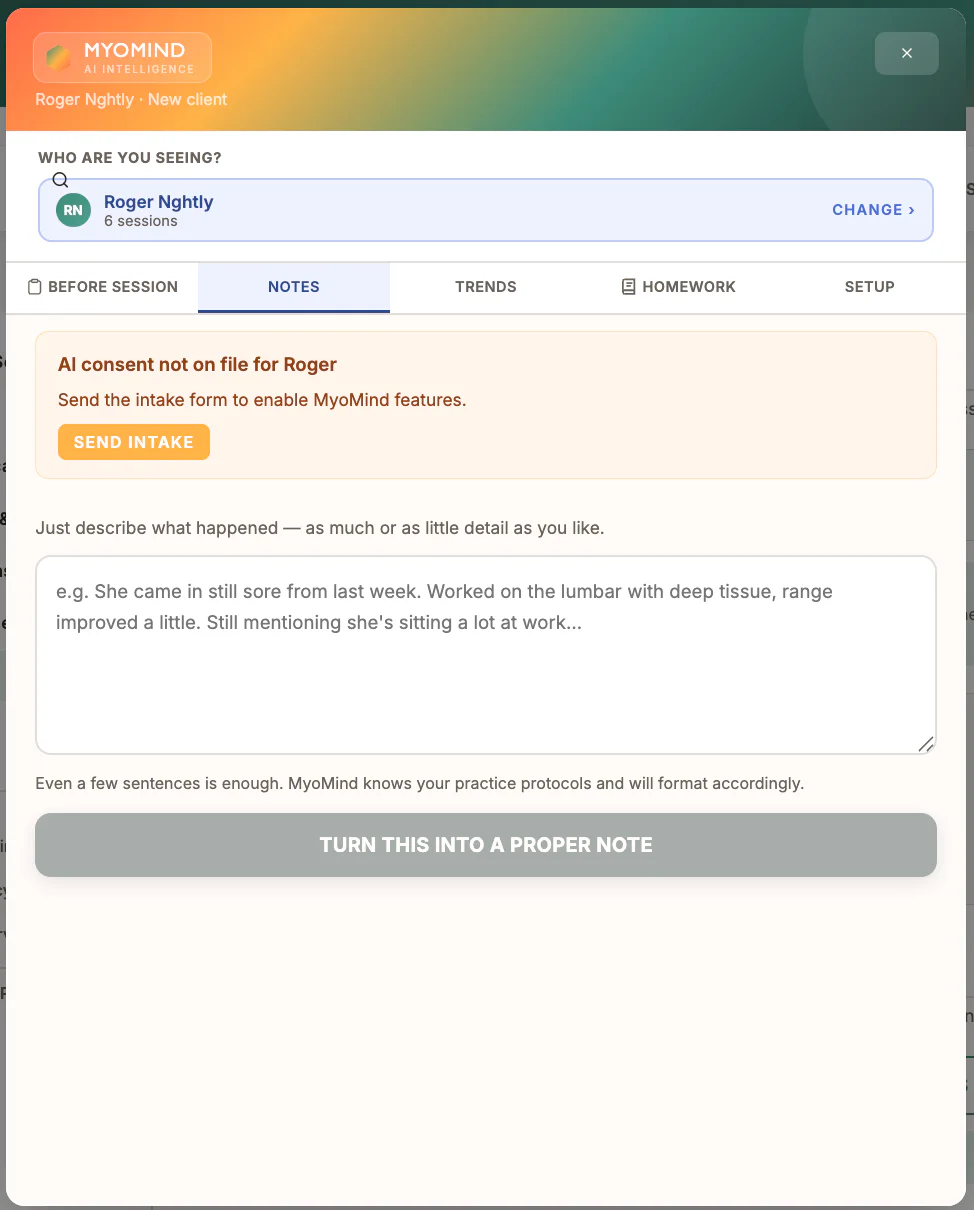
Where to find it
Open Notes, select the client and session, enter the source note, then choose the MyoMind action.
Step by step
1
Confirm consent
Use MyoMind only when the required client consent is recorded.
2
Enter the source note
Include the relevant observations and clinical context without unnecessary identifiers.
3
Choose the MyoMind task
Select the appropriate drafting, summary, trend, plan, or review option.
4
Review the response
Check accuracy, omissions, unsupported conclusions, and professional wording.
5
Edit and save deliberately
The practitioner remains responsible for the final record; save only after review.
Important checks
- MyoMind is decision support, not a diagnosis or substitute for professional judgement.
- Do not accept an output simply because it sounds polished.
- Use the existing five-tab guide for the purpose of each MyoMind view.
Test safely: Use Firebase Dev and Stripe test mode for workflow tests. Do not create live client, payment, package, or membership records just to test a guide.