01
See the complete backlog
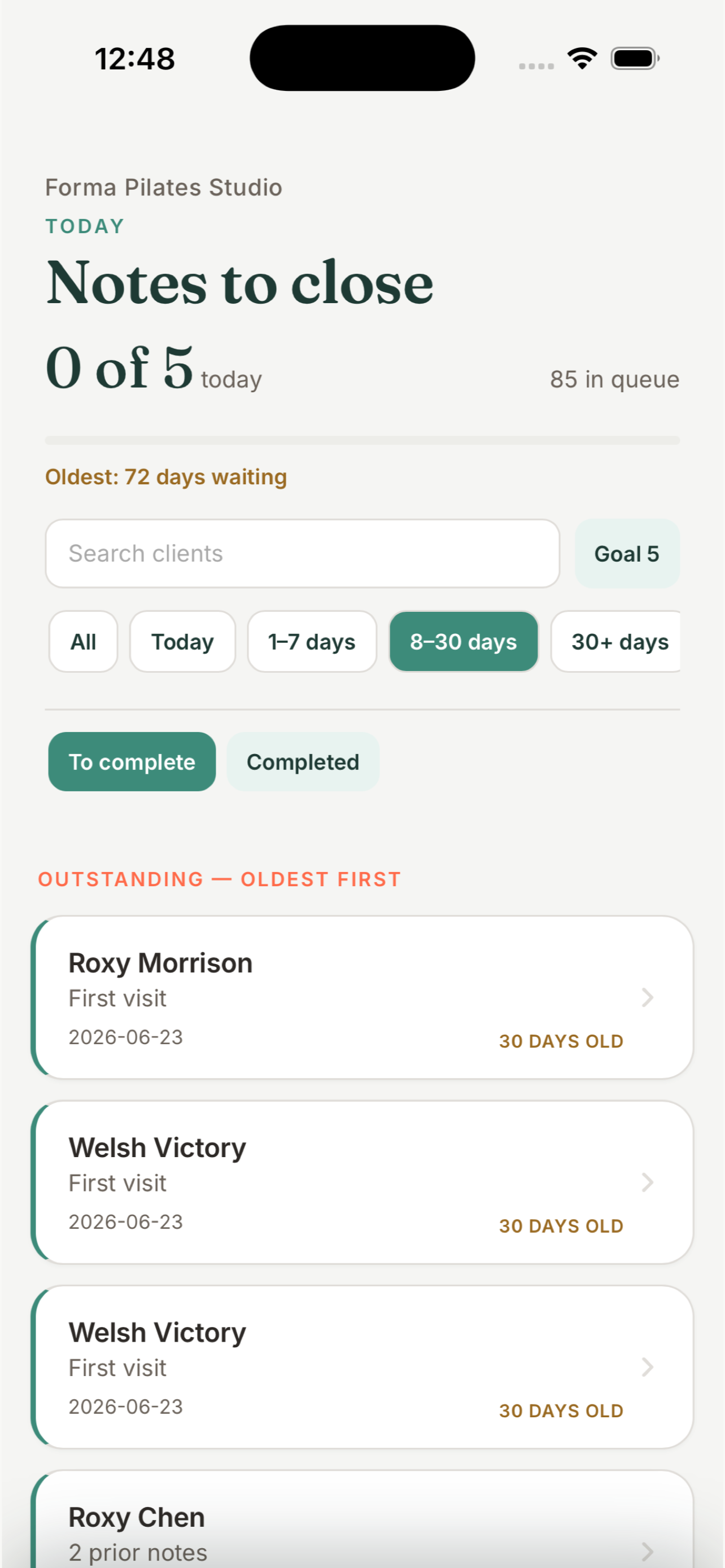
Today stays separate while overdue notes are ordered oldest first, with search and age filters when the list is long.
Turn every unfinished clinic note into a clear, focused queue. Work from oldest to newest, complete SOAP notes quickly, and watch the backlog shrink as you sign.
MYOMESH Notes is intentionally focused: find what is unfinished, complete one note well, and move to the next.
Today stays separate while overdue notes are ordered oldest first, with search and age filters when the list is long.
Set a realistic personal goal and see progress rise as the overall backlog falls—without turning documentation into a competition.
After signing, the next oldest note is ready. No hunting through calendars or opening every client record.
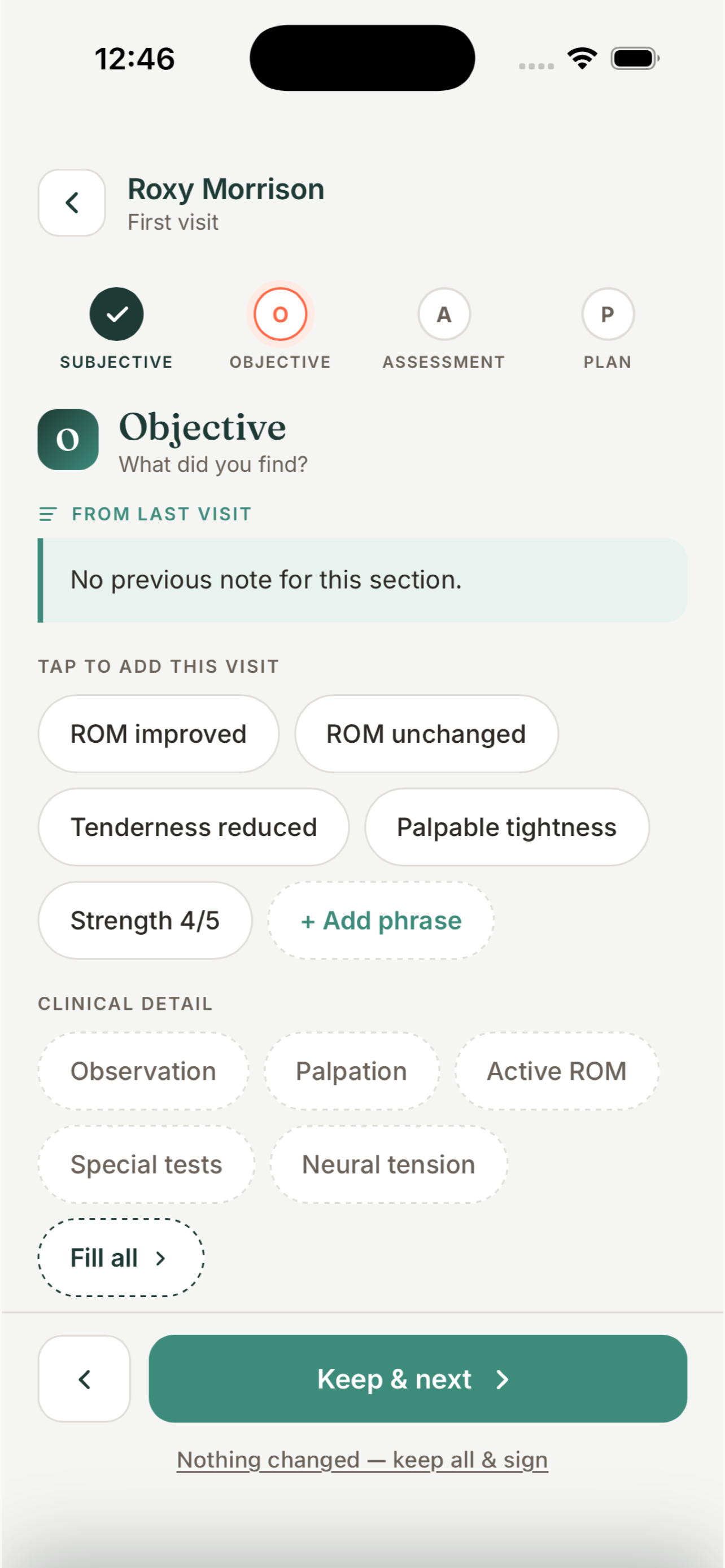
Move through Subjective, Objective, Assessment, and Plan with the previous visit alongside today’s additions.
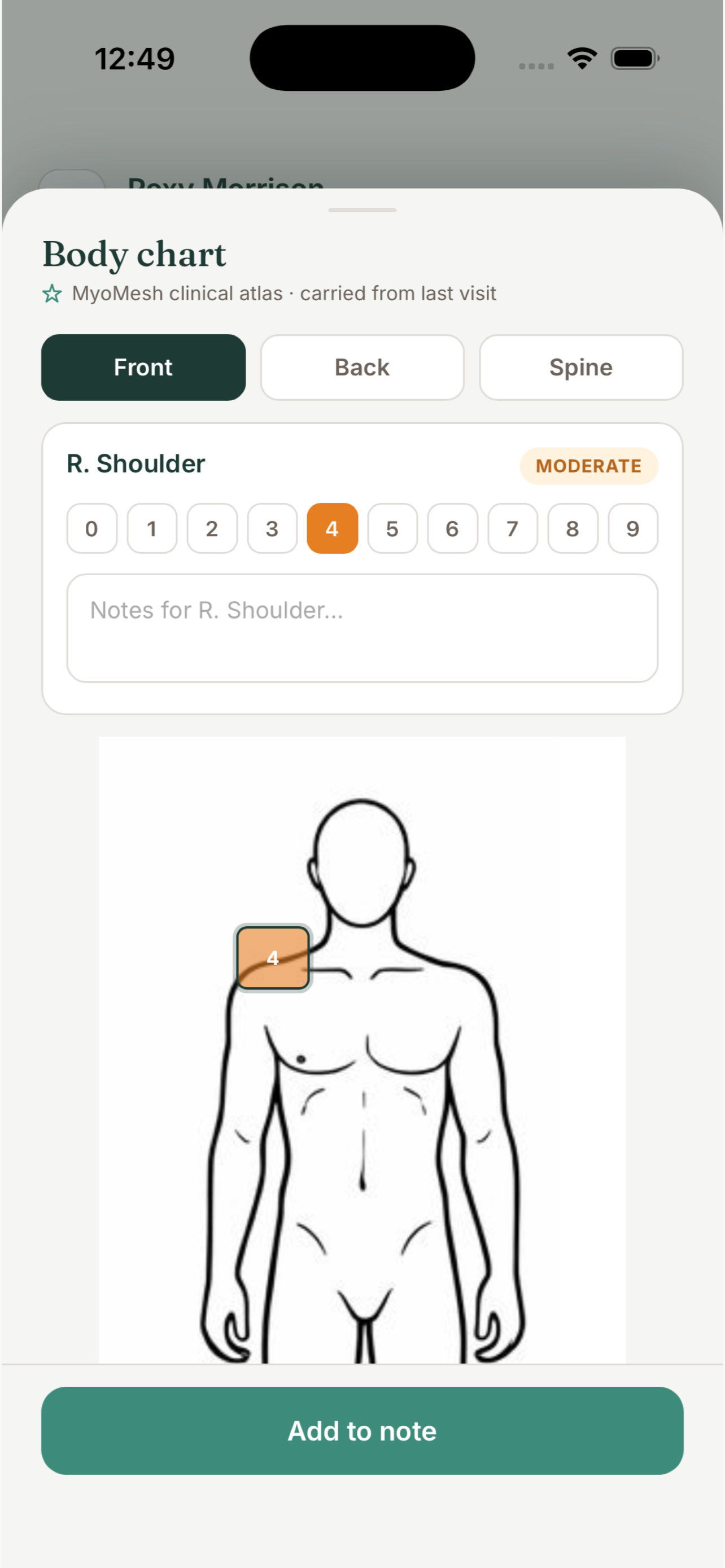
Use the interactive body chart to record location, severity, and notes without breaking the flow of the session record.
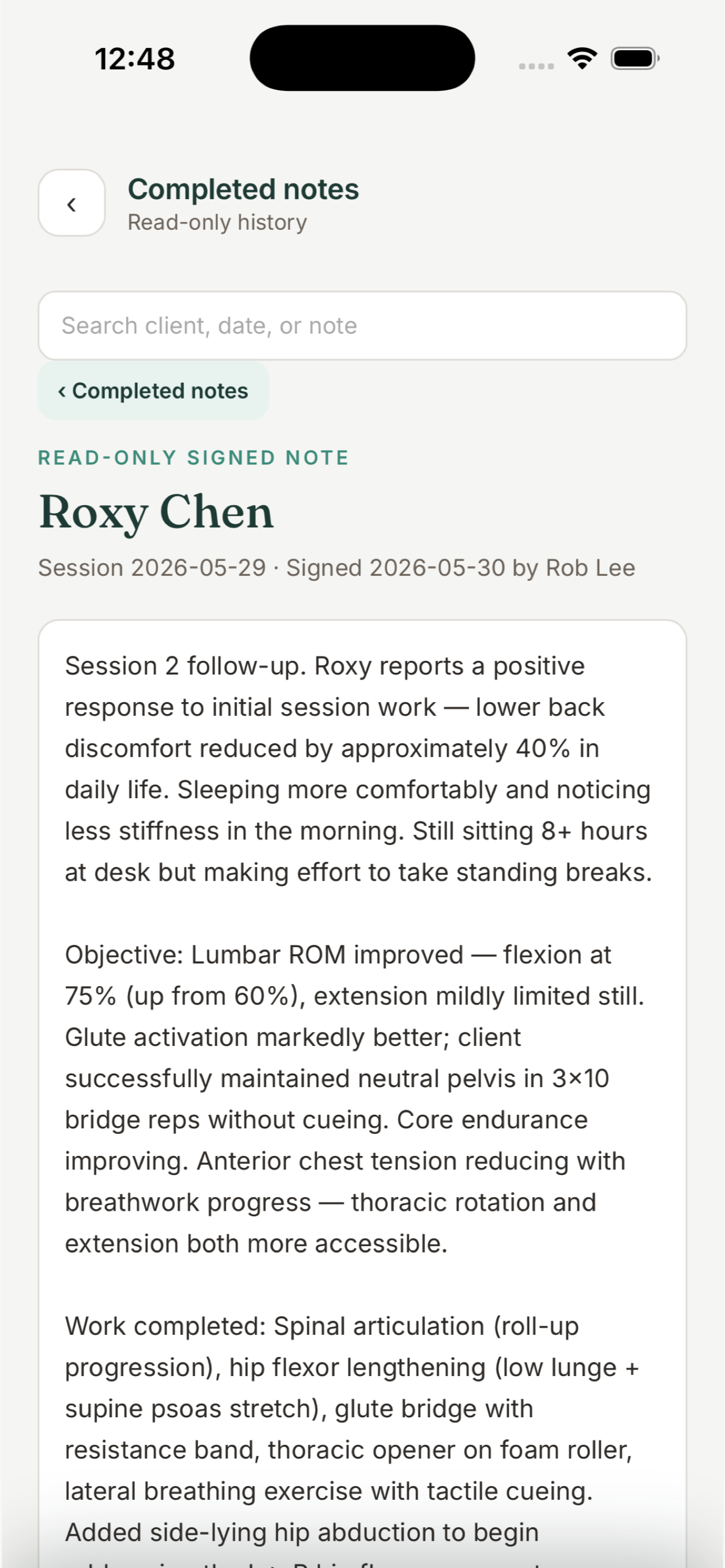
Read the complete note before committing it. Once signed, the note becomes a read-only clinical record in searchable history.
Sign in with the same username, password, and MFA as your MyoMesh.com practice account. The app provides the same note functionality and automatically syncs notes with your practice records.
Notes created or completed in the app sync with the same client records used on myomesh.com.
Practitioners see the sessions and completed history available to their role.
Use the same MyoMesh.com username, password, multi-factor authentication, and device protection.
Work from a focused phone flow or an iPad master-detail layout.
Separate appointments remain separate, even for the same client and date.
Choose a target that fits your day and keep the overall backlog visible.
Keep the unfinished backlog visible while completing the current clinical record in a spacious master-detail workspace.
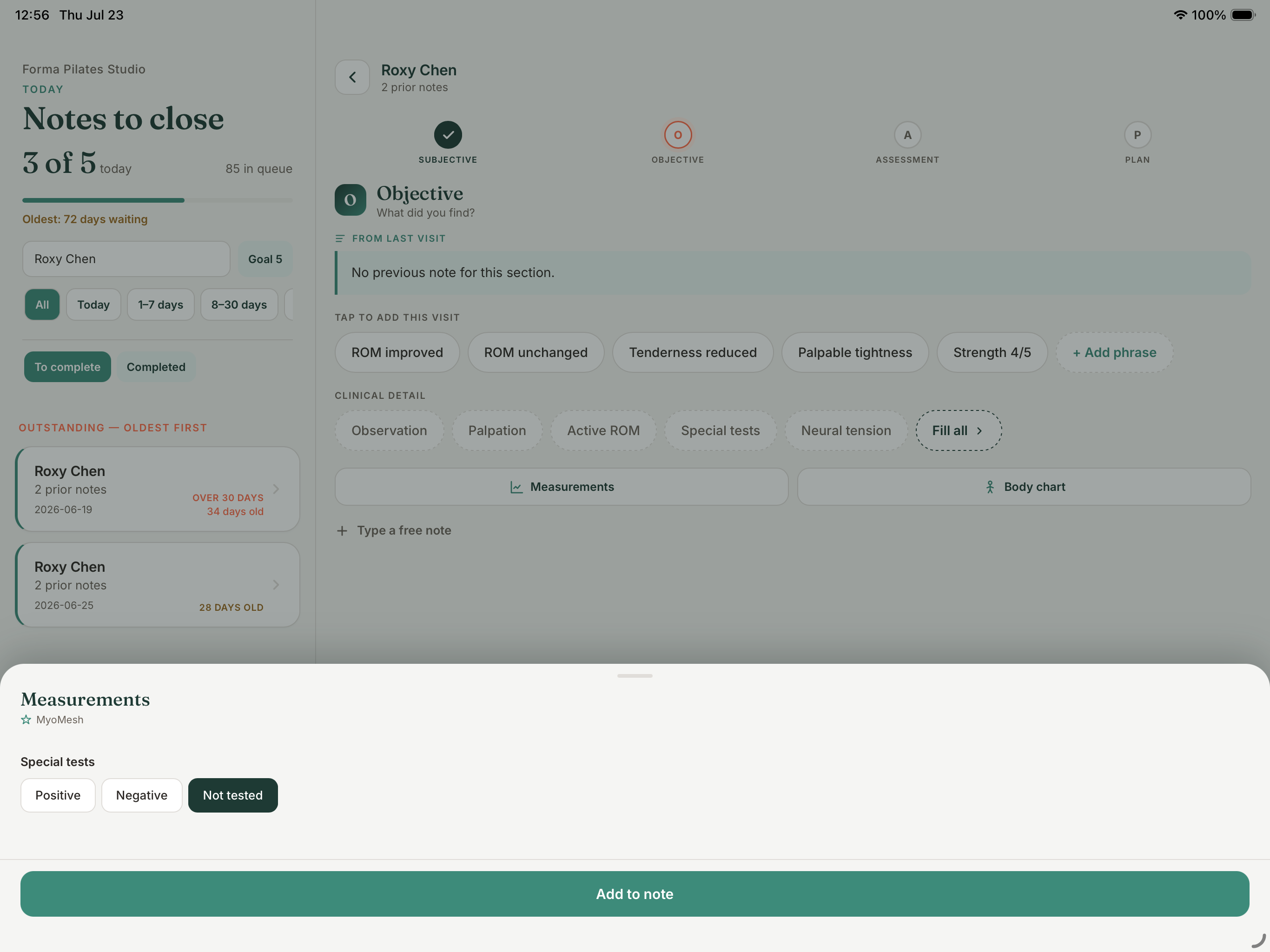
No dashboards to manage while you chart. Just the work in front of you.
See the complete backlog, choose an age range, and start with the oldest note.
Carry forward context and add only what changed today.
Add location and severity directly to the clinical record.
Search completed notes while keeping signed records read-only.
Screens show fictional client records from the Forma Pilates Studio test account.
Connected use is included for practitioners with an existing MyoMesh.com practice account. Without a practice account, Notes Solo includes up to 50 notes per month. Separate subscriptions are available for unlimited notes, AI features, or a combined plan with both.
Yes. Notes Solo works privately on your device and includes up to 50 notes per month without a practice account. Upgrade if you need unlimited notes, AI features, or both. Solo records remain separate from practice records.
Yes. MyoMind AI is a paid feature. Choose an AI subscription or a combined subscription for unlimited notes and AI. It is not included with the 50-note Notes Solo allowance.
Practitioners with an existing MyoMesh.com practice account sign in with the same username, password, and MFA. The app provides the same note functionality in a focused iPhone and iPad experience, and notes sync automatically with the practice account.
No. Signed notes are displayed as read-only records to protect clinical-document integrity.
Visit MYOMESH Notes Support for sign-in, MFA, Face ID, drafts, signing, and history guidance.
Download MYOMESH Notes and use Notes Solo for up to 50 notes per month, choose a subscription for unlimited notes, AI, or both, or sign in with your existing MyoMesh.com practice account for included connected use.
See MYOMESH for clinics